
Internet Without Power: How to Maintain a Stable Connection During Outages
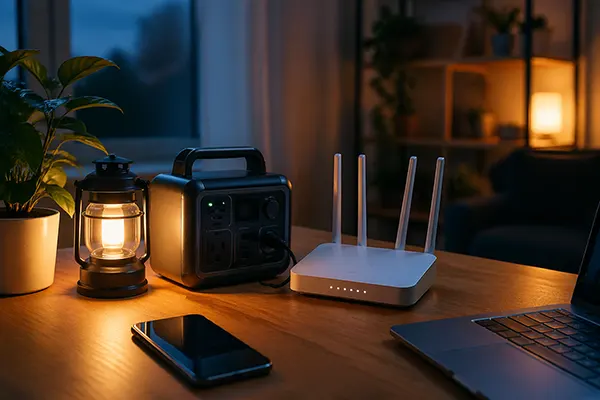
Power cuts are no longer rare events in many regions, and they immediately affect internet access at home and in small offices. In 2026, connectivity has become a basic need for work, communication, and safety. The good news is that stable access can be maintained even without electricity, provided you understand how networks operate and prepare the right backup solutions in advance.
Why Internet Access Fails During Power Outages
Most home internet connections depend on active electrical infrastructure. Routers, fibre terminals, and mobile base stations all require power to function. When electricity is cut, even if your provider’s backbone network remains operational, your local access point typically stops working first.
Another factor is the type of connection. Fibre-optic internet relies on an optical network terminal installed inside the home, which shuts down without electricity. Cable and DSL connections face similar limitations, as modems require continuous power to maintain signal processing.
Mobile networks are more resilient, but not immune. Base stations are equipped with backup batteries, usually lasting between 2 and 8 hours. In prolonged outages, signal quality drops as towers begin to shut down or reduce capacity to conserve energy.
Understanding Network Weak Points
Identifying where failures occur helps in choosing the right backup strategy. The weakest point in most setups is the local router, followed by the modem or fibre terminal. These devices typically consume between 10 and 25 watts, which makes them relatively easy to support with compact backup systems.
External infrastructure also plays a role. Internet service providers often maintain redundancy, but residential users are rarely prioritised during outages. This means relying solely on fixed-line connections can leave you disconnected when power loss extends beyond a few hours.
Mobile networks introduce another vulnerability: congestion. When many users switch to mobile data simultaneously, bandwidth becomes limited. Even if signal remains available, speeds may drop significantly.
Backup Power Solutions for Home Internet
The most practical way to maintain connectivity is to supply power to essential networking equipment. Uninterruptible Power Supplies (UPS) remain the most common option. A basic UPS can keep a router and modem running for 1 to 3 hours, depending on capacity and load.
Portable power stations have gained popularity by 2026. These battery-based units offer higher capacity and can power networking devices for 6 to 12 hours or more. Some models include solar charging options, which extend usage during prolonged outages.
For minimal setups, compact DC UPS devices designed specifically for routers are efficient. They connect directly to the router’s power input and automatically switch to battery mode during outages, ensuring uninterrupted operation without manual intervention.
Choosing the Right Backup Setup
Selection depends on usage patterns. For remote work, a combination of a UPS and a mobile hotspot provides both stability and redundancy. The UPS maintains the primary connection, while the hotspot acts as a fallback if the fixed line fails.
Battery capacity should be calculated based on actual consumption. For example, a 20-watt load running for 5 hours requires at least 100 watt-hours of stored energy. Including a safety margin ensures reliable performance.
Modern solutions also include smart monitoring. Some power stations allow tracking of battery levels via mobile apps, helping users manage usage and avoid unexpected shutdowns during critical tasks.

Alternative Internet Access Without Electricity
When fixed connections are unavailable, mobile data becomes the primary alternative. Smartphones can function as hotspots, sharing 4G or 5G connectivity with laptops and other devices. In 2026, 5G coverage has expanded significantly, offering speeds comparable to wired broadband in many areas.
Another option is using dedicated mobile routers with SIM cards. These devices often have built-in batteries and can operate independently for several hours. They also provide better signal stability compared to smartphones.
Public infrastructure can also help. Some urban areas maintain emergency Wi-Fi zones powered by independent energy sources. These are designed to support communication during outages, though access and performance may vary.
Maintaining Connection Quality in Limited Conditions
Signal optimisation becomes critical when relying on mobile networks. Positioning the device near windows or higher locations improves reception. External antennas can further enhance signal strength, especially in rural areas.
Data management is equally important. Background updates, cloud synchronisation, and streaming services consume bandwidth quickly. Prioritising essential tasks helps maintain stable performance under constrained conditions.
Finally, combining multiple methods offers the best reliability. A setup that includes backup power, a fixed connection, and a mobile alternative ensures continuous access even during extended outages, reducing disruption to work and daily activities.